In this article10 sections
- 01In 30 seconds
- 02How much screen time do Indians spend on their phones?
- 03How do I check my screen time?
- 04How to reduce screen time: 10 ways that work on any phone
- 05Why do screen time limits stop working?
- 06How much screen time is too much?
- 07How do I reduce screen time for my family?
- 08A 7 day plan to reduce screen time
- 09When should I get help for screen time?
- 10Where bloc fits
To reduce screen time, start by checking how much you use your phone and which two or three apps take most of it. Then make small changes to the phone and your surroundings rather than relying on willpower: batch notifications to a few check-ins a day, turn the screen grayscale at night, keep the phone out of the bedroom, and set limits in advance on a schedule. The step most people skip is making those limits harder to undo than a single tap.
These ten steps work on any phone, Android or iPhone. For the exact settings on your phone, see our guides on how to reduce screen time on Android and how to reduce screen time on iPhone. This page is the plan around them.
In 30 seconds
- ·Measure first. You cannot cut what you have not counted.
- ·Change the setup, not your character: notifications, colour, where the phone sleeps.
- ·Cut by about an hour a day. In one study that lasted longer than quitting outright.
- ·Limits work. They fail because undoing them takes two taps, so add distance.
How much screen time do Indians spend on their phones?
Close to five hours a day. EY's media and entertainment report found that Indians spent 4.95 hours a day on phone apps in 2024, and Bloomberg's summary of the same report put nearly 70 percent of it on social media platforms, gaming and videos.
So most of the time is not calls, banking or work. It is the feed. That is good news: entertainment apps are the easiest to put on a schedule without breaking anything you need.
India's Economic Survey 2026 drew attention to the growing concern of digital addiction and urged voluntary "digital diets", phone-free zones and device-free family time. The steps below are the practical version of that advice.
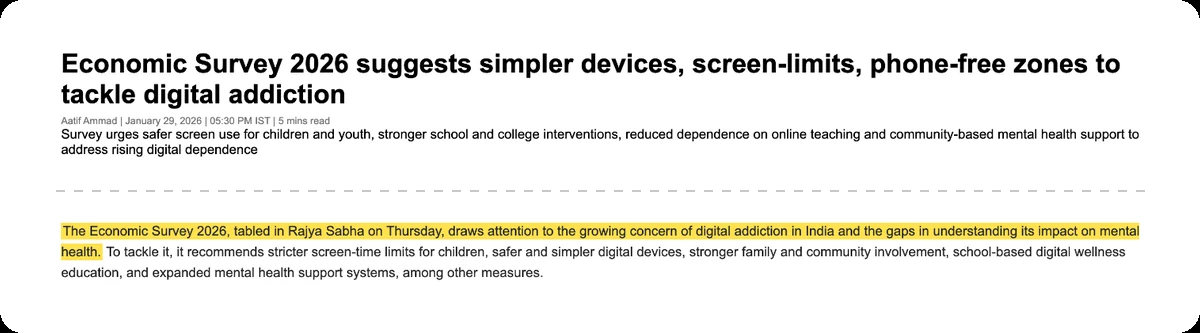
Source: Careers360, January 2026
How do I check my screen time?
On Android, open Settings and tap Digital Wellbeing. On iPhone, open Settings and tap Screen Time. Both show today's total, a split by app, and how often you pick the phone up.
Write down three numbers before you change anything: your daily total, your number of unlocks or pickups, and your top three apps. The free screen time calculator turns that daily total into days per year, which tends to focus the mind.
How to reduce screen time: 10 ways that work on any phone
1. Pick two or three apps, not everything
Your top three apps are usually most of the problem. Put your effort there. A limit on twenty apps is a limit you will switch off by Thursday.
2. Batch your notifications
Every notification is an invitation to open the phone. A two week experiment with over 200 people residing in India compared different schedules. People who got notifications in three batches a day (9 am, 3 pm and 9 pm) felt happier, more productive and less stressed, and unlocked their phones fewer times a day.
Switching everything off was not better: that group felt more, not less, anxious. So turn off notifications from every app that is not a person talking to you, and check the rest a few times a day on purpose.
3. Turn the screen grayscale
Feeds, reels and games are designed in bright colour. In a University of North Dakota study led by Alex Holte, college students who put their phones in grayscale spent significantly less time browsing the internet and on social media apps, and their average daily screen time was reduced by nearly 40 minutes. Both Android and iPhone can switch to grayscale; schedule it for the evening so it is not a nightly decision.
4. Keep the phone out of the bedroom
Charge it in the hall or kitchen, and use a cheap alarm clock. In a study of 95 people, those asked not to use their phone in the bedroom for a week showed small improvements to happiness and quality of life and scored lower on a measure of smartphone addiction.
5. Make phone-free times and places at home
The Indian Academy of Pediatrics guidelines, written for families, advise: do not use screen media during meals, within one hour before sleep, or during surface travel, and mark digital free zones like bedroom, dining table, kitchen, bathroom. Start with one: the dinner table is the easiest to agree on.
6. Cut by an hour, not to zero
Big promises ("no phone this week") tend to collapse. A study at Ruhr University Bochum split 619 people into groups: one put their smartphone completely aside for a week, another reduced the amount of time they used the device by one hour a day. Both helped, but in the one hour group the effects lasted longer and were thus more stable. Four months on, they were using the phone as much as 45 minutes less per day.
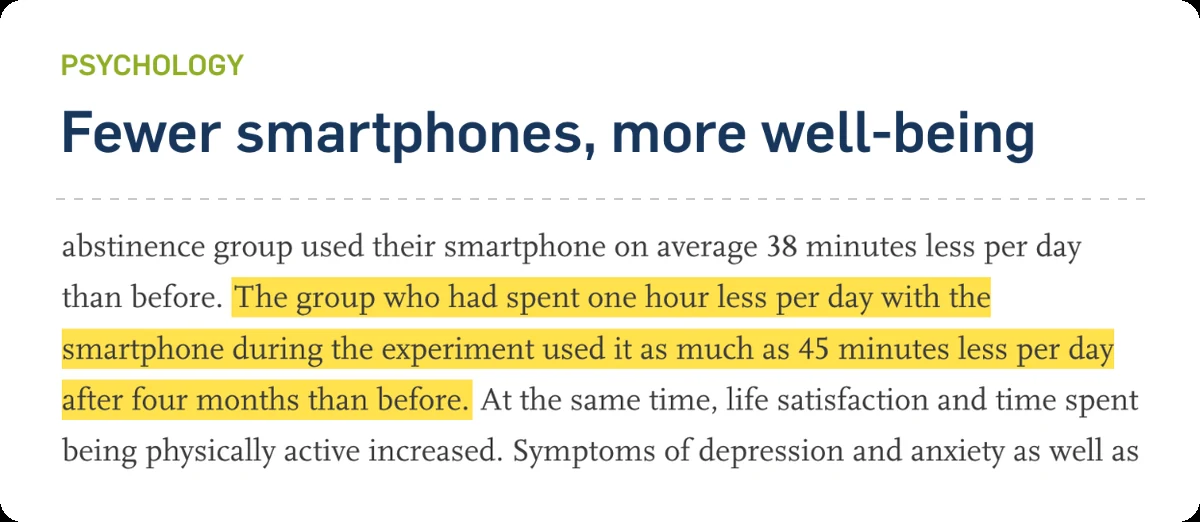
Source: Ruhr University Bochum, April 2022
7. Set limits in advance, on a schedule
Decide when you are calm, not at 11 pm with the phone in your hand. Allcott, Gentzkow and Song found that allowing people to set limits on their future screen time substantially reduces use. App timers, Focus mode, Downtime and App Limits are all ways to do this; schedule them so they switch on by themselves.
8. Replace the scroll with something specific
"Use the phone less" leaves a gap, and the phone fills it. Decide what the hour is for: a walk after dinner, a book by the bed, a game with the kids. The Economic Survey's advice to parents was to set screen limits, plan device-free family time.
9. Move the worst apps off your home screen
Put them in a folder on the last page, or log out after each use. Every extra step is a moment to notice what you are doing.
10. Make limits harder to undo
This is where most plans fail, so it gets its own section.
Why do screen time limits stop working?
Because the off switch is on the same screen as the temptation. Deleting an app timer, tapping "Ignore limit" or "Take a break" takes a few seconds, usually when you are tired and already holding the phone.
The same NBER research estimated that self-control problems cause 31 percent of social media use: nearly a third of the scroll is time you would not choose calmly. So the limits are right. They are just too cheap to cancel.
The fix is distance. A limit holds better when undoing it means getting up:
- ·A PIN someone else holds. Works if that person is around and willing.
- ·The phone charged in another room. Great at night, harder during the day.
- ·A physical step. Something that sits away from the sofa and the bed, so unblocking means a short walk. Your legs are slower than your thumb, and that gap is where the urge fades. More on this in why willpower isn't enough to stop doomscrolling.
How much screen time is too much?
There is no single official limit for adults' leisure screen time; it depends on what the time is replacing, like sleep, exercise or people. We look at the research in how much screen time is too much for adults. For children, the Indian Academy of Pediatrics gives age based limits: no screens below 2 years, at most 1 hour a day, supervised, from 2 to 5, and under 2 hours a day from 5 to 10.
How do I reduce screen time for my family?
Start with your own phone. The IAP guidelines say parents should act as a role model to promote digital wellness in the whole family and should limit their screen time and be a role model for children and adolescents.
Then agree the rules together rather than announcing them: which hours are phone-free, where phones charge at night, which apps go quiet during homework. The guidelines also suggest a digital fasting time when nobody in the family uses any device. The free family screen time audit helps you see where the household's hours go. For children's phones there are also free tools: Google Family Link on Android and Screen Time through Family Sharing on iPhone.
A 7 day plan to reduce screen time
- ·Day 1: Write down your daily total, pickups and top three apps.
- ·Day 2: Turn off notifications from every app that is not a person. Pick three check-in times.
- ·Day 3: Set limits on your top two or three apps, on a schedule.
- ·Day 4: Turn on grayscale for evenings.
- ·Day 5: Charge the phone outside the bedroom tonight.
- ·Day 6: Agree one phone-free time with your family, such as dinner.
- ·Day 7: Check your screen time again and compare with Day 1. Note which limits you overrode.
If the same apps keep beating the limits, that is where a physical step earns its place.
When should I get help for screen time?
If phone use is hurting sleep, work, studies or relationships and these steps are not enough, talk to a doctor or counsellor. NIMHANS in Bengaluru runs the Service for Healthy Use of Technology (SHUT), which has seen children, adults, and elderly people with gaming, social media and streaming problems. The Economic Survey also proposed expanding Tele-MANAS, India's mental health helpline, to support people dealing with digital addiction.
Where bloc fits
bloc is the physical step, made simple. It is a small magnetic NFC device for your fridge, with a free app for iPhone and Android, plus bloc for Chrome for websites. In the app you choose the apps that eat your time, and they get blocked on their own: on a schedule you set (say 10 pm to 7 am, or your study hours), or from a session you start in the app.
Open a blocked app and you see a shield screen, with a limited peek if you need a quick look. To unblock early, you walk to the fridge and tap your phone on the bloc. The tap only unblocks. Blocking runs on its own.
Bloc Score shows how often you unblock early, and several phones can pair with one bloc, so a family can share it. It is not a lock: anyone who walks to the fridge can open their apps. The walk, in the middle of the house, is the point. Keep your phone's own settings, and let the bloc hold the line on the apps you keep overriding. See how bloc works.
bloc sits on your fridge. Your apps block on a schedule. Unblocking takes a walk. See how bloc works →
Sources
- ·EY and FICCI, Indian media and entertainment report, 2025
- ·Bloomberg, "Indians Spend a Trillion Hours on Their Phones", March 2025
- ·Careers360, Economic Survey 2026 on digital addiction and mental health, January 2026
- ·Fitz, Kushlev, Jagannathan, Lewis, Paliwal and Ariely, Computers in Human Behavior, 2019 (summary)
- ·CNN, "Try this smartphone hack and other tricks to reduce your screen time", on Holte and Ferraro's grayscale study, June 2020
- ·PsyPost on Hughes and Burke, "Sleeping with the frenemy", Computers in Human Behavior, 2018
- ·Indian Academy of Pediatrics, Guidelines on Screen Time and Digital Wellness, Indian Pediatrics, March 2022
- ·Ruhr University Bochum, "Fewer smartphones, more well-being", April 2022
- ·Allcott, Gentzkow and Song, "Digital Addiction", NBER Working Paper 28936 (American Economic Review, 2022)
- ·South First, "NIMHANS launches a helpline to help you with digital detox", November 2022
bloc is our product. We make and sell it, so read anything this article says about bloc as the maker's view. Every other claim links to its source.
Spot a mistake? Email support@letsbloc.com. We check it, fix it and update the date above.
Founder of bloc. IIT Kharagpur. Formerly a senior product analyst at BharatPe. Builds bloc full time from Bir, Himachal.
Free tools from bloc
Frequently asked questions
How can I reduce my screen time?
Check your current screen time first, then pick the two or three apps that take most of it. Batch notifications to a few check-ins a day, switch the screen to grayscale at night, keep the phone out of the bedroom, and set limits in advance on a schedule. Finally, make those limits harder to undo than a tap, for example with a PIN someone else holds or a phone charged in another room.
How to reduce screen time in settings?
On Android, open Settings, then Digital Wellbeing, for app timers, Focus mode and Bedtime mode. On iPhone, open Settings, then Screen Time, for App Limits and Downtime. Both also let you turn the screen grayscale. Our separate Android and iPhone guides walk through each setting step by step.
How to reduce screen time as a student?
Keep the phone in another room during study blocks, schedule Focus mode or Downtime for those hours so it is not a daily decision, and turn off every notification that is not a person messaging you. Charging the phone outside the bedroom at night also helps sleep, which matters more for exams than one extra hour of revision on the phone.
Is it better to quit the phone completely or just cut down?
A study at Ruhr University Bochum with 619 people found both helped, but cutting use by one hour a day gave longer lasting results than giving up the smartphone for a week. Four months later the one hour group was using their phone about 45 minutes less per day than before.
How much screen time is normal for adults?
There is no single official number for adults' leisure screen time. Indians averaged close to five hours a day on phone apps in 2024, according to EY. Our guide on how much screen time is too much for adults looks at what the research links to different levels of use.
Ready to stop doomscrolling for good?
Try bloc — the device that actually keeps you off your phone
One-time purchase · Free shipping across India · 30 day replacement guarantee
Order bloc, from ₹1,699